使用WP Editor.md 粘贴的图片模糊
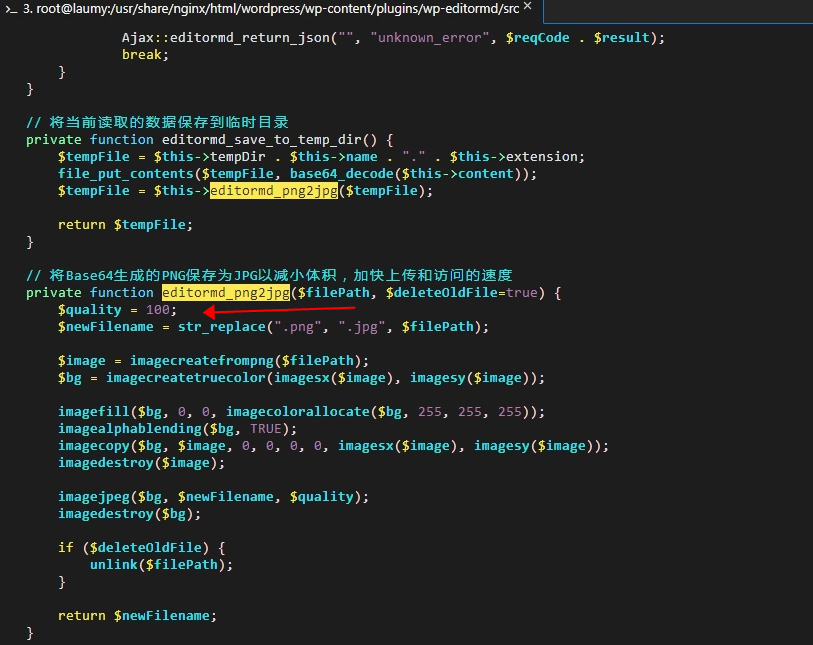
修改插件的图片质量
/usr/share/nginx/html/wordpress/wp-content/plugins/wp-editormd/src/App/ImagePaste.php
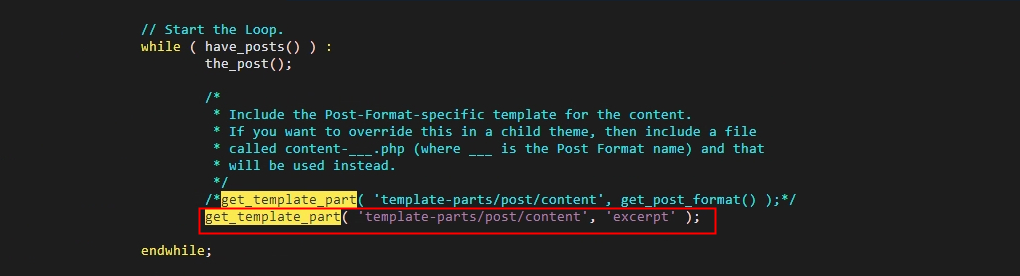
首页不显示全文章,只显示标题和部分内容
/usr/share/nginx/html/wordpress/wp-content/themes/twentyseventeen/index.php
markdown的正文自动插入目录
安装插件Table of Contents Plus
使用markdown编辑,让正文标题自动编号
(1)打开 WordPress 后台,进入“外观 - 编辑器”,选择你正在使用的主题。 (2)在左侧的“主题文件”面板中找到“functions.php”文件,并点击它以打开编辑器。 (3)将下面的代码复制粘贴到“functions.php”文件的末尾:
add_action('wp_enqueue_scripts', 'add_custom_script');
function add_custom_script() {
    if (is_singular()) { // 仅在单个文章页面加载脚本
        wp_enqueue_script('custom-script', get_template_directory_uri() . '/custom.js', array('jquery'), '1.0', true);
    }
}
这个代码块实现了一个名为“custom-script”的 JavaScript 文件,在单个文章页面加载。 (4)在主题目录下wordpress/wp-content/themes/blocksy创建一个新的 JavaScript 文件,命名为“custom.js”。 (5)将以下 JavaScript 代码复制粘贴到“custom.js”文件中:
jQuery(document).ready(function($) {
  var content = $('article').find('.entry-content');
  var headings = content.find('h1, h2, h3, h4, h5, h6');

  var chapterCounts = [0, 0, 0, 0, 0, 0];

  headings.each(function() {
    var level = parseInt($(this).prop('tagName').substring(1)) - 1;

    chapterCounts[level]++;
    for (var i = level + 1; i < 6; i++) {
      chapterCounts[i] = 0;
    }

    var chapterNumber = '';
    for (var i = 0; i <= level; i++) {
      chapterNumber += chapterCounts[i] + '.';
    }

    $(this).prepend(chapterNumber + ' ');
  });
});
手动部署LNMP环境
https://help.aliyun.com/zh/ecs/use-cases/manually-deploy-an-lnmp-environment-on-a-centos-8-instance?spm=a2c4g.11186623.0.0.75df4c617DvPt4
使用域名访问网站
https://help.aliyun.com/zh/ssl-certificate/user-guide/install-ssl-certificates-on-nginx-servers-or-tengine-servers
评论